
The short version
- Start with a comic strip: one page, 3 or 4 panels, at most two characters.
- Pick a color comic, a webtoon or black-and-white manga, which reads right to left.
- Fix the story in the free plan, then the characters, then the pages.
- Edit any balloon after the page is drawn, and download a strip as a PNG.
This guide is for comic fans who never learned to draw, kids and teens with a story in their heads, teachers who want a comic for a class, and anyone who wants to try manga. You will end up with a finished comic: a single strip you can post as a picture, or a book of 8 to 48 pages, every panel drawn and every balloon lettered, ready to read on screen or download.
Who this is for
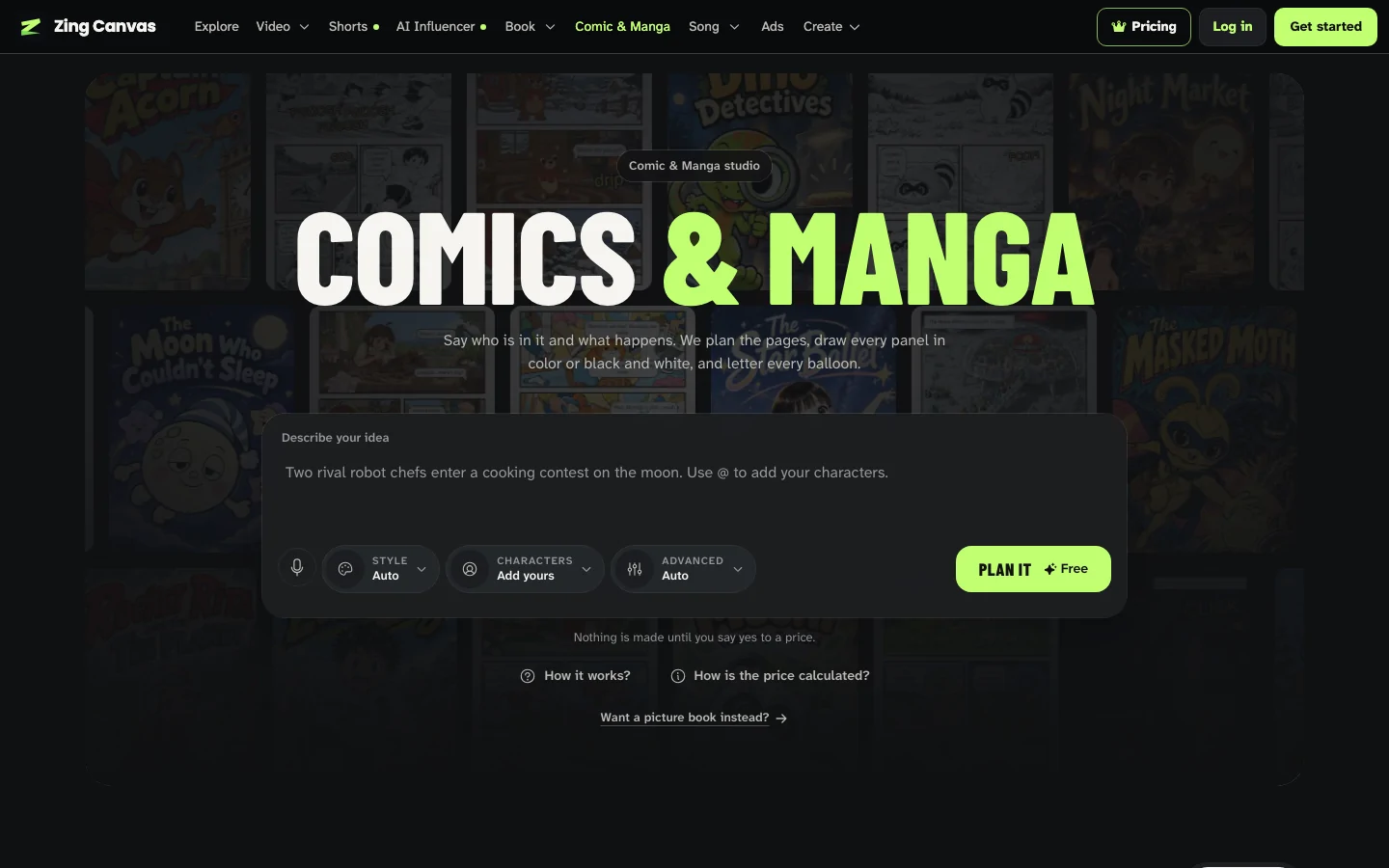
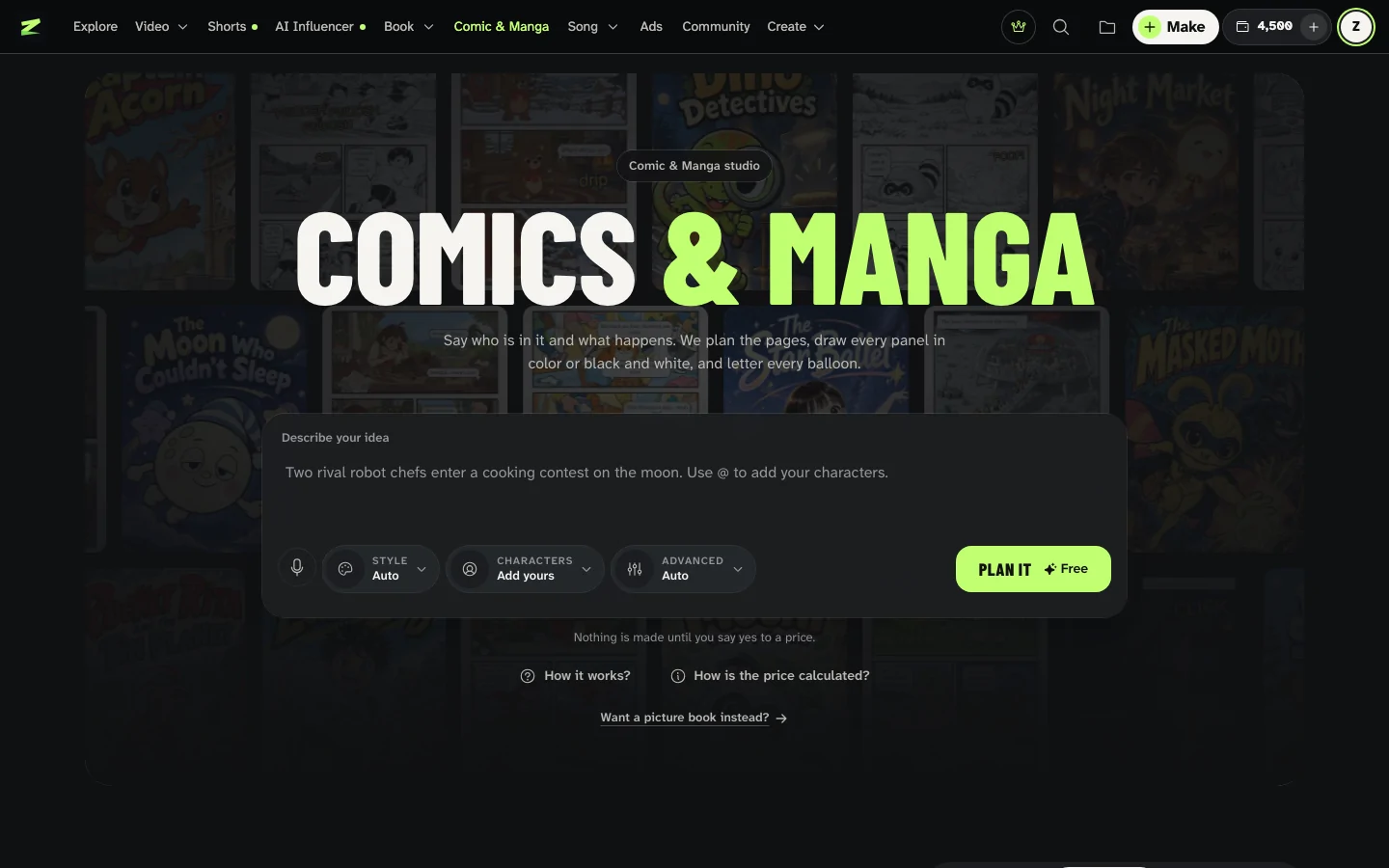
The Comic & Manga studio is at /app/make/comic, under "Comic & Manga" in the top bar. Its headline reads "Comics & Manga," and the line under it sums up the deal: say who is in it and what happens, and the pages are planned, every panel drawn in color or black and white, and every balloon lettered.
How to make a comic strip or manga
Step 1: Say who is in it and what happens
Type your idea in the box. A comic needs a little more action than a picture book: something to see happen in every panel. "Two rival robot chefs enter a cooking contest on the moon" works because it promises a setting, a contest and a fight.
Add your own characters with @ or the Characters chip (it opens "Who is in it?"), or skip it and new ones are cast.
A good comic idea has:
- A setup you can show in one panel.
- A conflict that gets bigger across the pages.
- A punch at the end: a joke, a twist or a win.
For a comic strip, think in three or four beats: setup, build, turn, punchline.
Step 2: Pick a kind and a style
Press the Style chip. The panel "Pick a kind and a style" opens: "Optional. Skip it and we choose the best fit when we plan it." It asks first, "Which kind of comic?"
- "Color comic" — "Full color, read left to right." The classic comic book.
- "Manga" — "Black and white, read right to left."
- "Webtoon" — "Full-color pages in the webtoon look."
Pick a kind and a row of styles for it appears underneath. Pick "Manga" and you get the B&W manga row ("Black and white, read right to left"): "Kids' manga," "Action manga" and "Soft manga." Pick "Color comic" and you get color styles to choose from instead. Every card shows the same little scene in its style, so you can compare like with like. Press "Done" to keep your pick, or "Let us choose" to leave it to the plan.
A manga is read right to left, and the reader tells you so: "This manga reads from right to left."
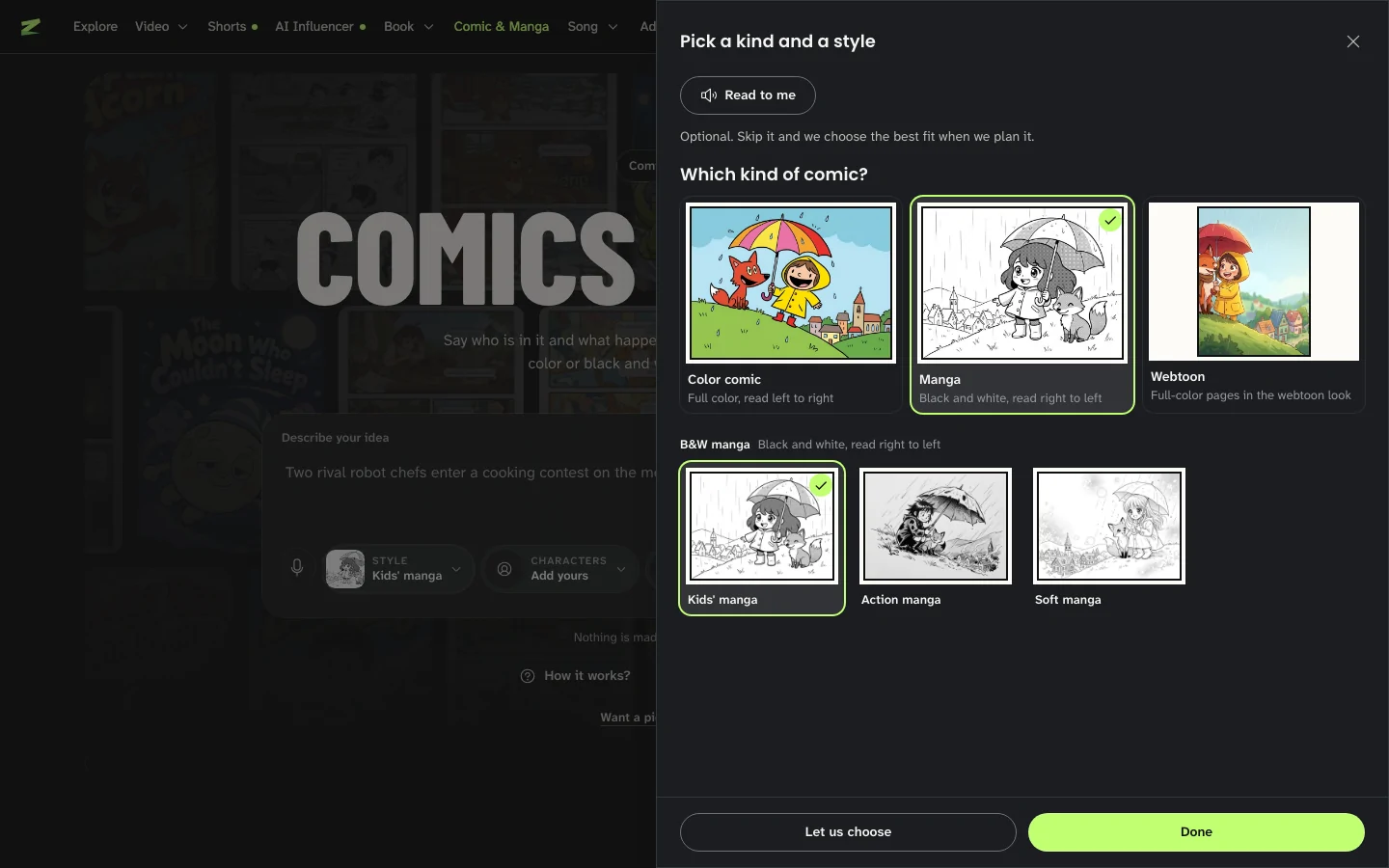
"Pick a kind and a style," with "Manga" and then "Kids' manga" chosen. The Style chip now names it. Step 3: Choose the length
Press the Advanced chip. The "Advanced settings" panel opens ("All optional. Anything you leave on Auto, we choose in the plan. You can change it there."), and "How long?" ("Printed pages, cover to cover") offers:
- "Comic strip" — 1 page, 3 or 4 panels.
- "Tiny comic" — 8 pages, two spreads, a quick story.
- "Mini comic" — 12 pages, four spreads.
- "Quick comic" — 16 pages, six spreads.
- "Short" — (24 pages), "Medium" (32), "Long" (40) and "Extra long" (48).
The strip, Tiny, Mini and Quick are on screen and PDF only, and their cards say why: a printed copy needs at least 24 bound pages. A comic strip holds at most two characters, which keeps every panel readable. Under the cards, a line gives the price to make the length you picked, the same as on the Plan card.
For a longer comic the same panel asks "Panels per page": "Auto," "Fewer and bigger (2–3)," "Standard (4–5)" or "More (6+)." Leave it on Auto unless you want a particular pace. Press "Done" and the Advanced chip sums up your choice, such as "1 page, 3 or 4 panels."
If you are new, make a comic strip first. It is the fastest way to see how your idea reads in panels.
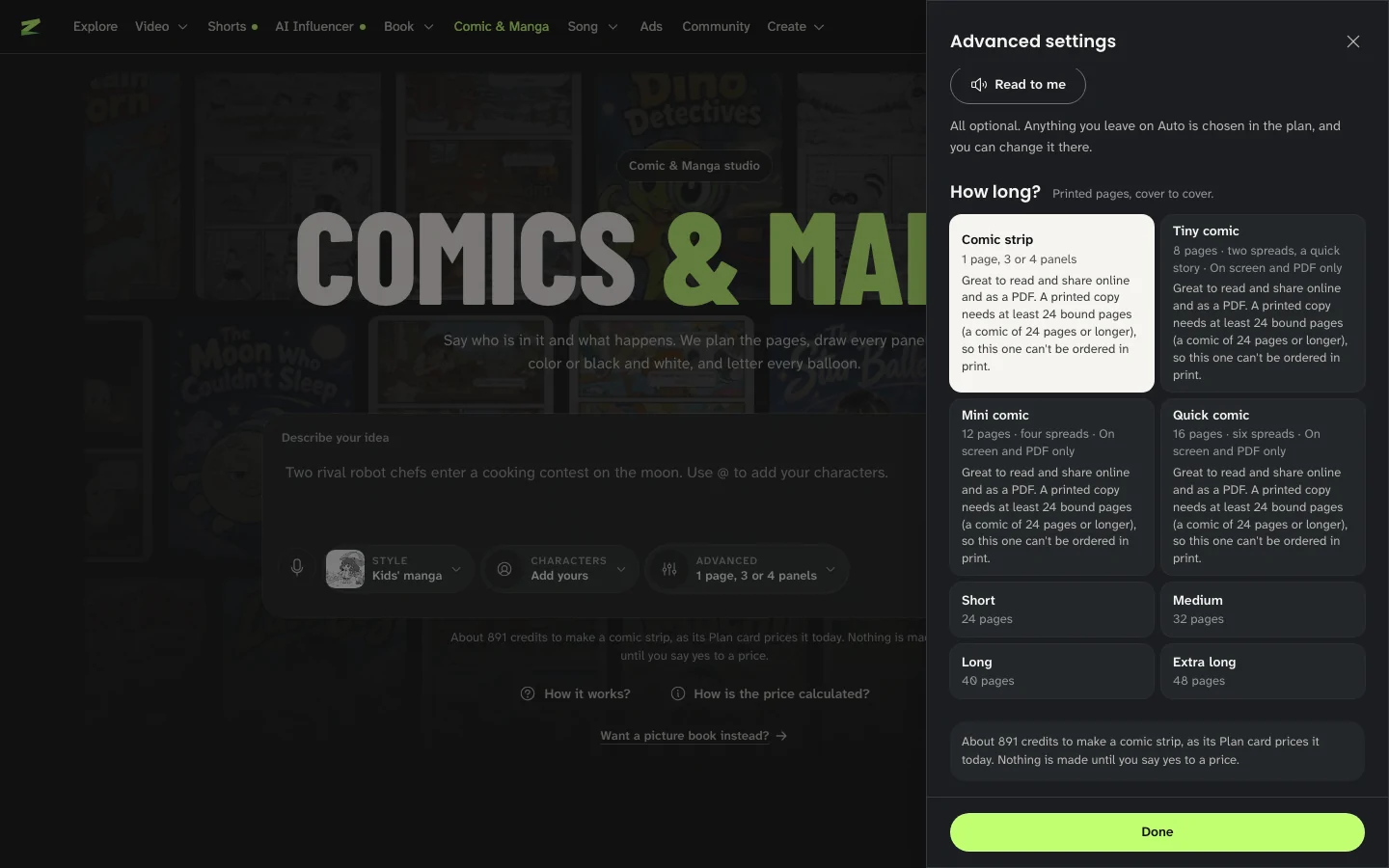
"How long?" in "Advanced settings," with "Comic strip" selected: 1 page, 3 or 4 panels. Step 4: Plan it
Press "Plan it." Planning is free. A panel opens on the right with the steps "Idea," "Choices," "Plan" and "Price." If you skipped them, it may ask what kind of comic it is and who it is for (from "Ages 5 to 7" to "Teens" and "Adults").
Planning free; price on the Plan card
Then "Your comic plan" appears: a title, one line that sums it up, and the whole story in plain words, with "Read to me" if you would rather listen. Read it closely. This is where to fix the joke, cut a page or change who says what: type it in the box at the bottom and press "Change it." "Changes to the plan are free."
When it reads right, scroll the card to the price. Pick "Make it all, then show me" or "Check with me at each step." With enough credit the button reads "Make my comic · about N credits"; with too little it reads "Add credit and make my comic" and opens the Add credit sheet first; if you chose to check each step it reads "Start my comic." Nothing is charged until you press it, and "Keep for later" saves the plan if you want to come back.
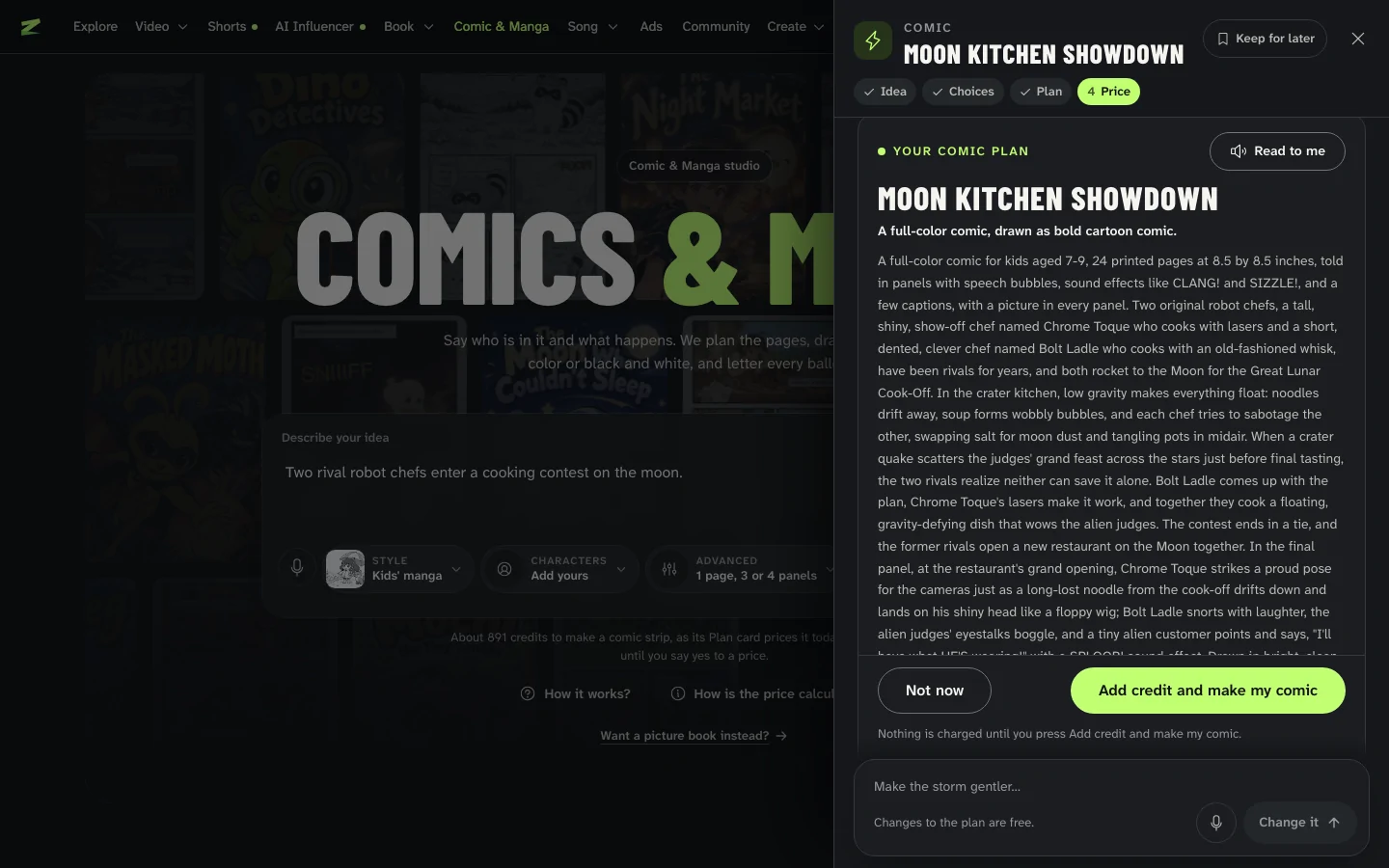
The updated plan, "Your comic plan." Type a change in the box at the bottom; changes to the plan are free. Step 5: Approve characters, then pages
The project opens with the steps "Story," "Characters," "Pages" and the finished book. Approve the story, then look at your characters. A comic lives or dies on characters you recognize from panel to panel, so redraw a look you are unsure of now, before the pages are drawn.
Then the pages are drawn and lettered.
Step 6: Edit the words in the balloons
You can change what any character says after the page is drawn. Choose letters on the page, then style them. Use "Add words" to add a caption or a sound effect, and "Improve" for help tightening a line.
Keep balloons short. A balloon of more than about 20 words crowds the art. If a line is long, split it into two balloons or two panels.
Step 7: Download and share
A comic strip downloads as "The strip as a picture (PNG)" or a PDF, ready to post. Longer comics download as a PDF and can be shared with a link. "Share a link" needs no account to read. A strip cannot be ordered printed: "A comic strip is one page: read on screen and downloaded as a picture or a PDF."
Download free
Tips for a comic that reads well
Plan the page turn. In a book-length comic, the reader sees two pages at once. Save a surprise for the first panel of a new spread, so it lands after the turn. When you read the plan, ask yourself what the reader sees when they open each spread, and ask for a change if a reveal sits in the wrong place.
One action per panel. A panel shows a moment, not a sequence. "She opens the door, sees the robot and screams" is three panels. If a planned panel holds more than one action, ask for it to be split, or ask for "Fewer and bigger" panels per page.
Let silence work. A panel with no words, just a face reacting, often gets the biggest laugh. If every panel in your plan has a balloon, ask for one quiet beat before the punchline.
Keep the cast recognizable. Give each character one thing a reader can spot at a glance: a red scarf, a dented antenna, a hat that is too big. Put it in the description when you add the character. It helps the reader as much as it helps the drawing.
Start small, then grow it. A comic strip that works can become a Tiny comic, and a Tiny comic that works can become a full book. Each step is a new project at a new price, but you only spend more once you know the idea is good.
Read it out loud. Before you approve the plan, read every balloon in the voice of the character. Lines that sound stiff out loud read stiff on the page too.
What it costs
Planning is free. A comic's price counts its pages and the panels drawn for them, shown on the Plan card's button in credits (1 credit is 1 cent). A strip costs the least. Downloads are free. See pricing.
Common mistakes
- Too many words. — Comics are read by eye first. Let the picture do the work.
- Too many characters in a strip. — A strip takes two at most.
- A story with no action. — If nothing changes from panel to panel, it is a picture book, not a comic.
- Forgetting manga reads right to left. — Plan your page turns that way.
Questions
Can I make manga?
Yes, in black and white, read right to left: "Kids' manga," "Action manga" or "Soft manga."
Can I change the words after it is drawn?
Yes, select the letters on the page and edit them.
Can kids use it?
Yes. A child's profile has a Comic tile. See a kid who wants to make their own comic.
Can I post a strip on social media?
Yes, download it as a PNG.
Make it yourself
Who wrote this
The team building Zing Canvas
Written by the people who build Zing Canvas: step-by-step guides to making picture books, comics, bedtime stories, greetings, songs, music videos, shorts and ads in Zing Canvas, with the real screens, what each step costs, and the everyday problems they solve.