
How to make a bedtime story video for your child
The short version
- Pick a story, a lullaby, or one of your books read aloud, which costs the least.
- Put tomorrow's worry in the story; a small animal facing it calmly helps.
- Start after dinner, not at lights-out, and play it in sleep mode with a timer.
- Only your own voice can be recorded; every narrator reads slowly and softly.
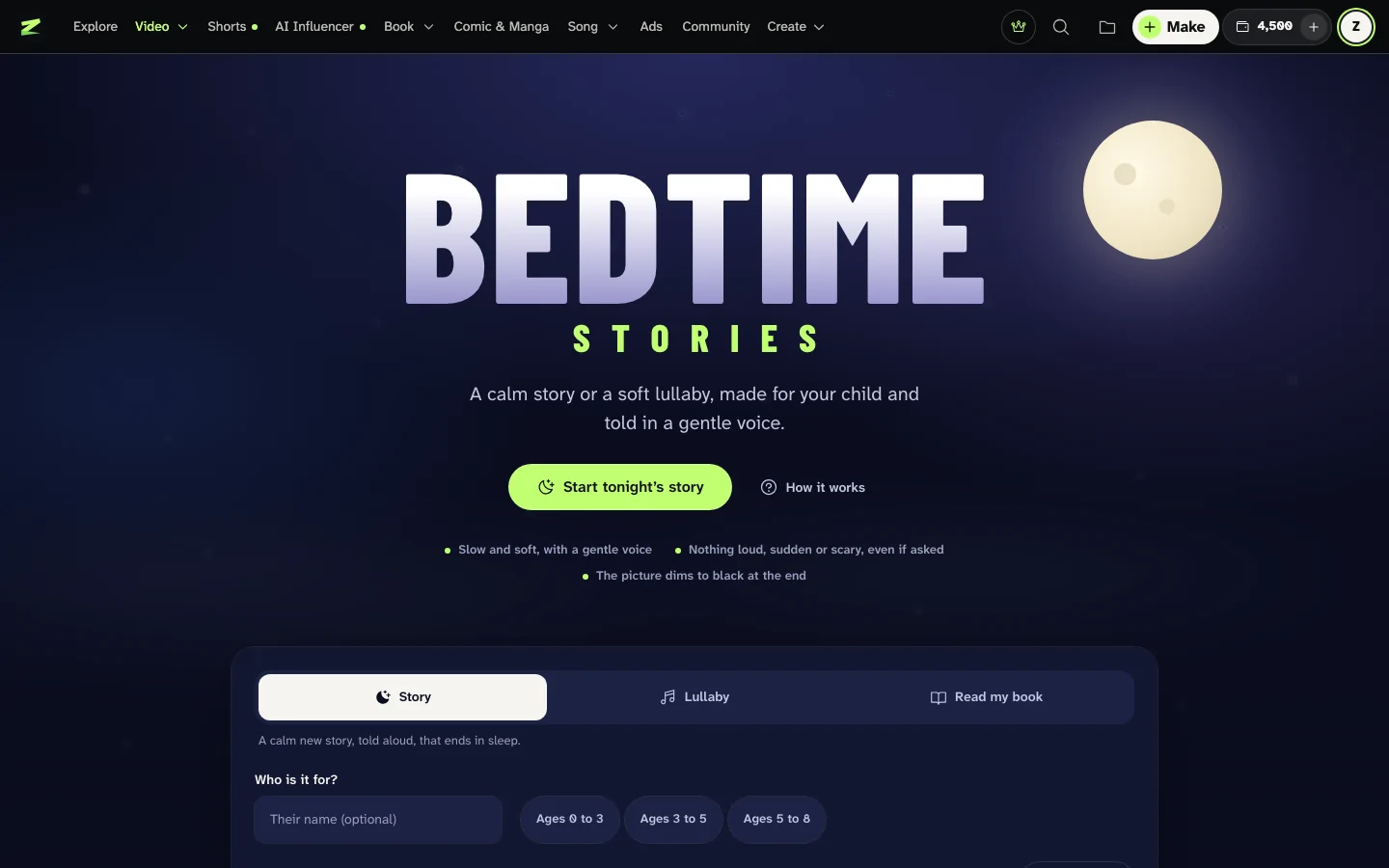
This guide is for parents and caregivers who want a new bedtime story tonight, made for their own child: their name in it, their favorite animal, a gentle voice, and a picture that fades to black at the end. You will end up with a short, calm video (a story of about 1 or 2 minutes, or a lullaby of 1 to 3 minutes) and a sleep mode that plays it dim and quiet and stops on its own.
Who this is for
You can also take a picture book you have already made and have it read aloud as a video, which costs the least.
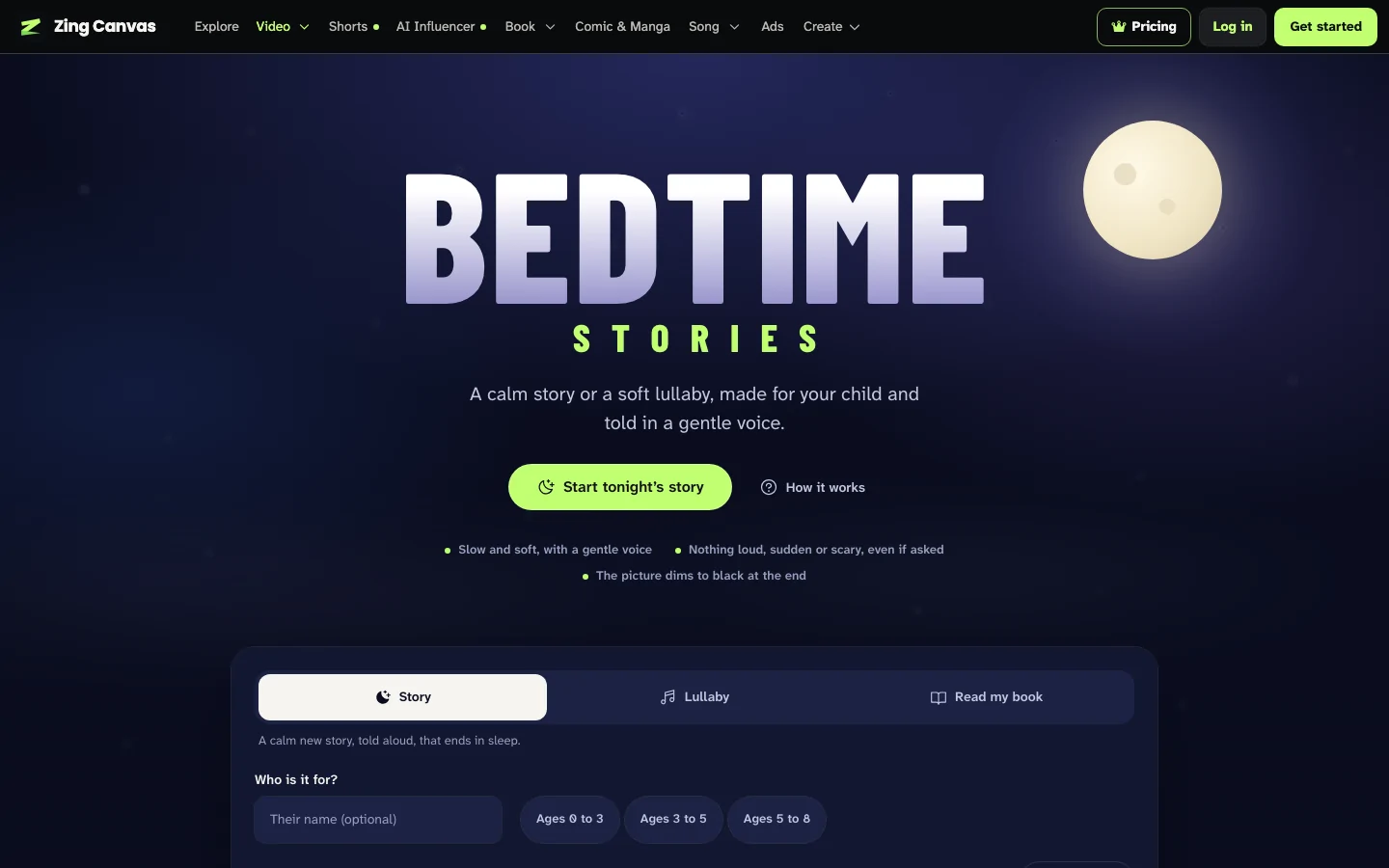
The Bedtime page is at /app/make/bedtime, in the Create menu.
How to make a bedtime story video for your child
Step 1: Choose a story, a lullaby or your book
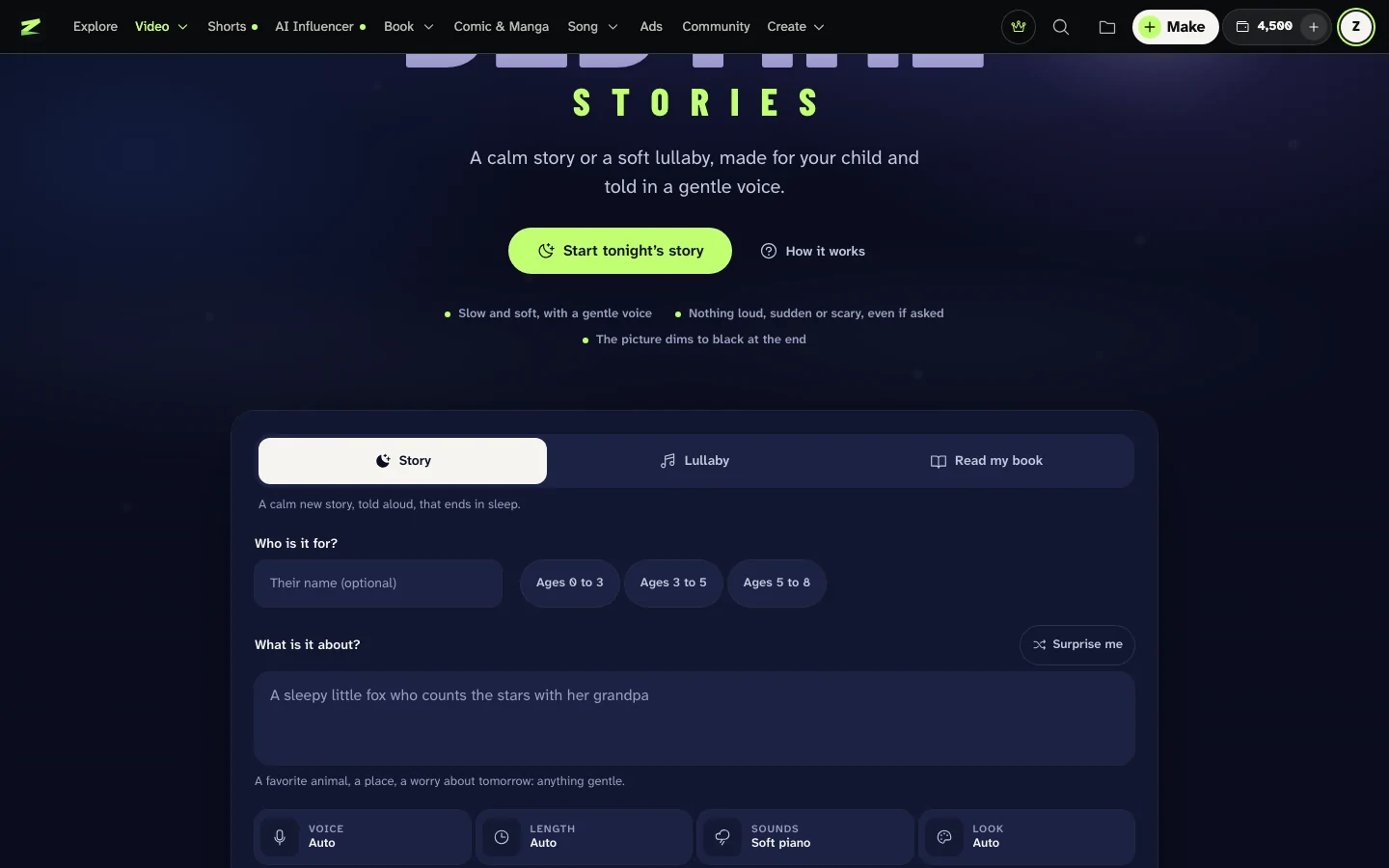
At the top of the composer are three tabs:
- "Story" — "A calm new story, told aloud, that ends in sleep."
- "Lullaby" — "A soft song, sung, with their name in it."
- "Read my book" — "One of your books, read aloud as a video. It costs the least."
Every bedtime video follows the same rules no matter what you type: slow and soft, nothing loud, sudden or scary even if asked, and the picture dims to black at the end. If you type something exciting, you will see a note that it is kept calm for bedtime.
The three tabs, with "Story" selected and its line under it. Step 2: Say who it is for and what it is about
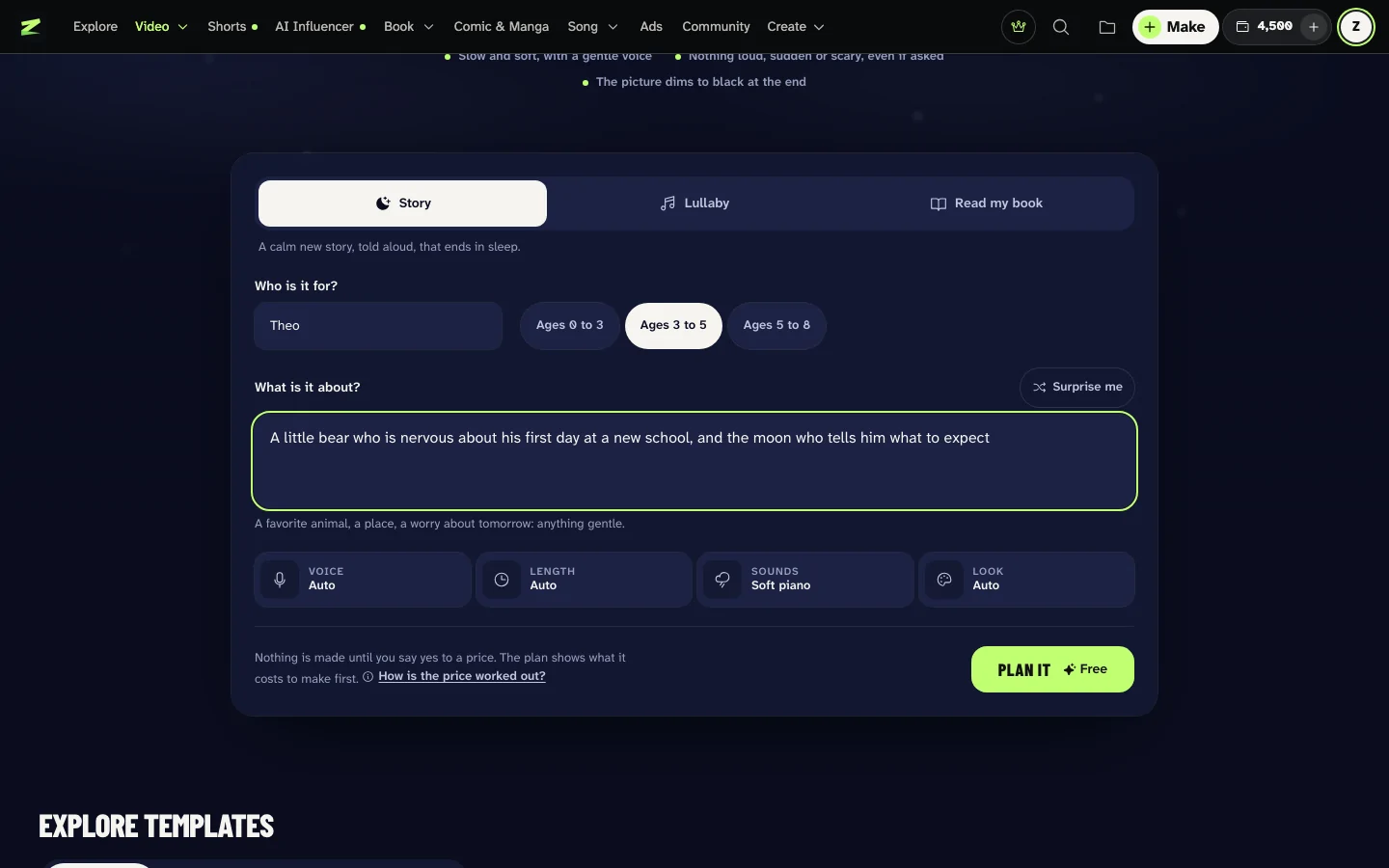
For a story, type their name in "Who is it for?" (optional; "Their name (optional)") and pick an age: "Ages 0 to 3," "Ages 3 to 5" or "Ages 5 to 8." The age sets the pace and the words.
Then "What is it about?" Type something gentle: "A sleepy little fox who counts the stars with her grandpa." The hint says it well: "A favorite animal, a place, a worry about tomorrow: anything gentle." Not sure? Press "Surprise me."
A worry about tomorrow is one of the best things to put in. A first day at school, a visit to the dentist, a new baby in the house. A story where a small animal faces the same thing calmly gives your child a picture to hold on to.
For a lullaby, type "Their name, to sing it softly," a few words on what the song is about, and "Their favorite sleepy things" (for example, "The moon and her toy rabbit").
The Story composer filled in. Step 3: Pick the voice, length, sounds and look
Four cards sit under the box. A card with nothing picked reads "Auto."
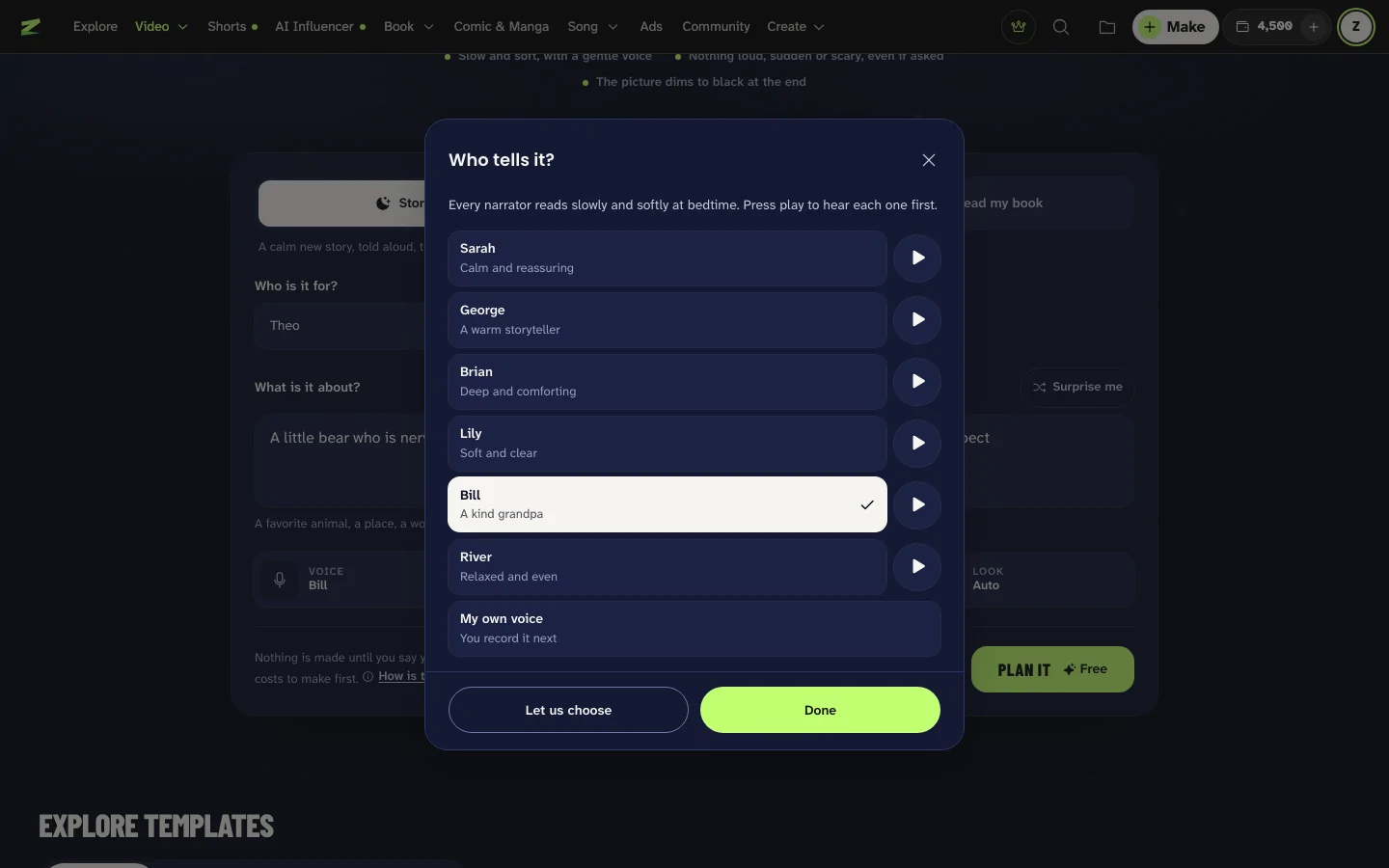
Voice (for a lullaby, Singer). The dialog "Who tells it?" says: "Press play to hear how each one will tell the story." Choose from Sarah ("Calm and reassuring"), George ("A warm storyteller"), Brian ("Deep and comforting"), Lily ("Soft and clear"), Bill ("A kind grandpa"), River ("Relaxed and even"), or "My own voice" ("You record it next"). A lullaby asks "Who sings it?": "A woman" or "A man."
Length. "How long?" offers "About 1 min" or "About 2 min" for a story, and 1, 2 or 3 minutes for a lullaby.
Sounds (story only). "Music and sounds": "Soft piano" or "No music," and "Sounds around the story": "Soft rain," "Ocean waves," "Night crickets," "Crackling fire," "Gentle wind" or none. Press play on each first.
Look. "Pick a look": "Every look is drawn soft and dim for bedtime." For a story, "2D cartoon," "Paper cut-out," "Clay" or "3D animation."
The "Who tells it?" dialog open with the six narrators and their lines plus "My own voice", "Bill" selected, the "Let us choose" and "Done" buttons. Open the "Sounds" card, press play on "Soft rain" then "Ocean waves", pick "Ocean waves" with "Soft piano", press "Done". Step 4: Plan it, for free
Press "PLAN IT · Free." The line beside it promises: "Nothing is made until you say yes to a price. The plan shows what it costs to make first."
Planning free; price on the Plan card
A planning panel opens and shows the story it would tell. Read it as you would read it aloud. Is it slow enough? Does it end in sleep? Ask for changes in plain words in the box at the bottom and press "Change it": "Make the moon's voice softer," "Give it a happier ending," "Add her toy rabbit." Every change is free.
Then the Plan card shows the price. With enough credit, its button reads "Make my video · about N credits"; with too little, it reads "Add credit and make my video" and opens the Add credit sheet first. Nothing is charged until you press it. A bedtime video can take a while to make, so start it after dinner, not at lights-out. You can close the page; it will be in Tonight when it is done.
Step 5: Use your own voice (optional)
If you chose "My own voice," you record it in the next step, after you confirm the voice is yours. The recorder walks you through "Read the script," "Listen back" and "Save your voice," then asks you to "Name this voice" and check "This is my own voice. I am not recording anyone else." Read slowly, in a quiet room, holding the phone the same distance from your mouth the whole time.
Your own voice is for your own recording only. You cannot record another person's voice.
Step 6: Or read one of your books aloud
Pick "Read my book." If you have no finished book yet, it says so and offers "Make a book." If you do, pick one and press "Read it aloud." On its page, choose Bedtime reading and who reads it: a library voice or your own. Its price is shown there before anything is made. This is the cheapest bedtime video because the pictures already exist. See how to make a picture book.
Price shown on the book's page
Step 7: Play it in sleep mode
Your finished videos appear under "Tonight." Each has a "Sleep mode" button and "Add to playlist."
Free
Sleep mode plays the video dimmed over black. Choose "Dim" ("Soft," "Dim" or "Darkest"), a "Sleep timer" (Off, 10, 20, 30 or 45 minutes) and whether to "Play the next one too." With that off, it stops when the video ends and shows "Good night." To leave, press "Leave sleep mode."
The "Bedtime playlist" lets you line several up in order. It is kept only in this browser, so set it up on the device you use at bedtime.
What it costs
Planning is free. A bedtime story's price depends on its length and how much is drawn for it; the Plan card shows it before anything is made, in credits (1 credit is 1 cent). Reading one of your books aloud costs the least. Sleep mode and the playlist are free. See pricing.
Common mistakes
- Starting at bedtime. — Making takes time. Start earlier in the evening.
- Asking for excitement. — Dragons and chases are kept calm. If you want an adventure, make it in the Video Studio instead.
- A long story for a toddler. — For ages 0 to 3, "About 1 min" is plenty.
- Setting the playlist on the wrong device. — It lives in one browser only.
Questions
How long is a bedtime story?
About 1 or 2 minutes. A lullaby is 1 to 3 minutes.
Can I use my own voice?
Yes, choose "My own voice" and record it. It must be your own voice.
Can grandparents record it?
Not yet. Only your own voice can be recorded today.
Will it ever be scary?
No. Nothing loud, sudden or scary is made, even if asked.
Does it stop by itself?
Yes. In sleep mode it stops when it ends, unless you turn on "Play the next one too."
Make it yourself
Who wrote this
The team building Zing Canvas
Written by the people who build Zing Canvas: step-by-step guides to making picture books, comics, bedtime stories, greetings, songs, music videos, shorts and ads in Zing Canvas, with the real screens, what each step costs, and the everyday problems they solve.