
The short version
- Say what it is about with real names and details; they end up in the verses.
- Pick genre, voice and mood; every singer is made up, never a copy of a real one.
- Use your own lyrics marked with [Verse] and [Chorus], or have them written.
- The price is on the button by length, and you are charged only when it is made.
This guide is for anyone who wants a song that does not exist yet: a birthday song for Grandpa Joe who loves fishing and bad jokes, a cleanup song for a classroom, a jingle for a bakery, a lullaby, or the words you have been writing in a notebook. You will end up with a finished song, sung, with a cover picture, that you can play and keep as a sound file, with the words to read along.
Who this is for
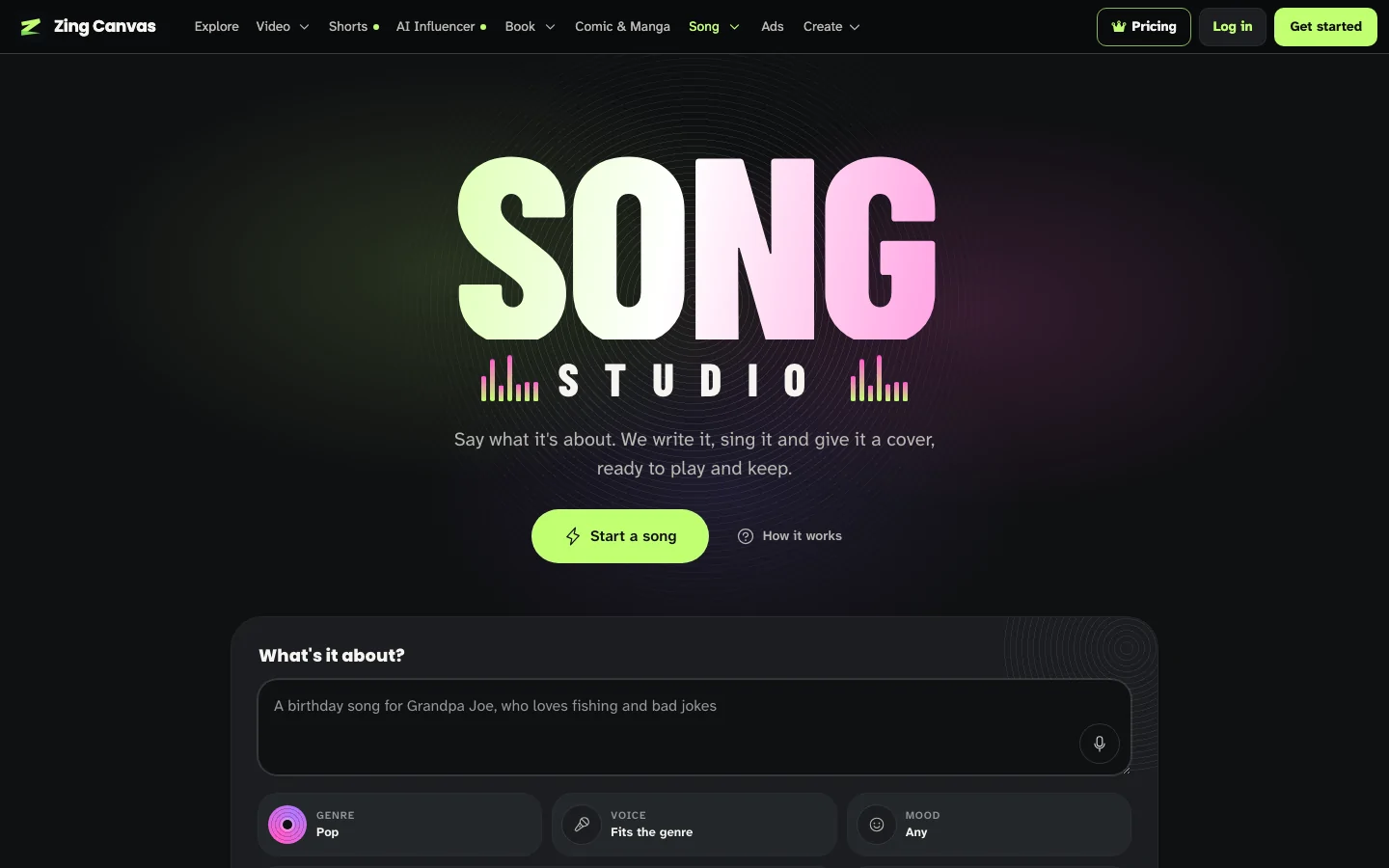
The Song studio is at /app/make/song, under "Song" in the top bar.
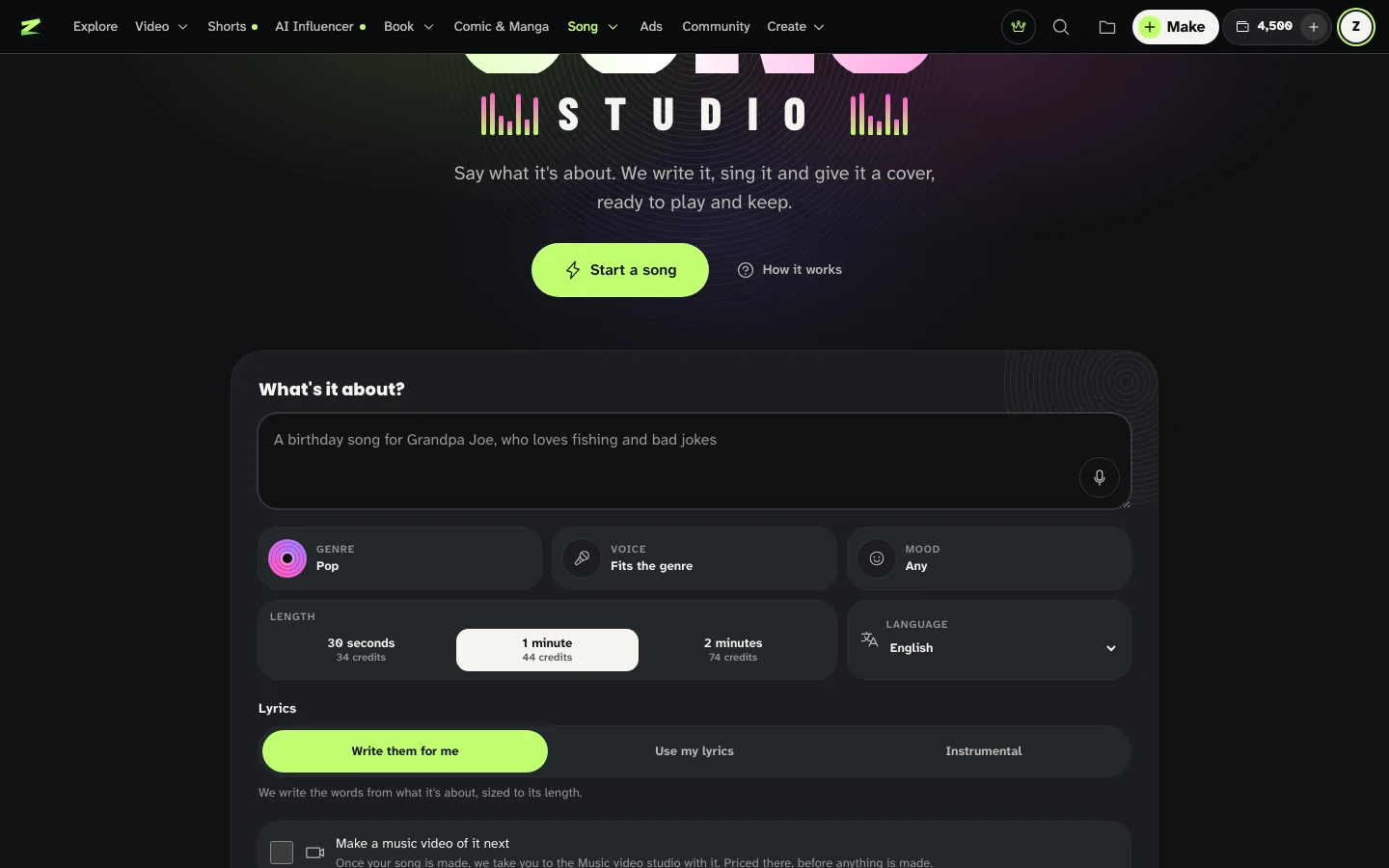
How to make a custom song
Step 1: Say what it is about
Type it in "What's it about?": "A birthday song for Grandpa Joe, who loves fishing and bad jokes." You can also press the mic and say it.
The more specific, the better the song. Names, places, inside jokes and one or two real details give the words something to hold on to. "A song for my team" is fine; "A song for the Tuesday night bowling team that always loses but brings the best snacks" is a song people will sing.
Step 2: Choose the genre, voice and mood
Describe the sound you want rather than naming a real artist. If you type a real singer or band, you will be asked to describe the sound instead.
- Genre — ("Pick a genre"): Pop, Rock, Hip-hop, Dance, Lo-fi, Jazz, Folk, Country, Latin, Orchestral, Nursery rhyme or Lullaby. Each has a sample to play.
- Voice — ("Who sings it?"): "Fits the genre," "Female voice," "Male voice," "Duet" or "Kids' choir." "Every voice is made up, never a copy of a real singer."
- Mood — ("How should it feel?"): Any, Happy, Calm, Dreamy, Epic, Funny, Romantic, Energetic or Bittersweet.
- Language — a dropdown beside Length; open it and pick the language it is sung in. It starts on English.
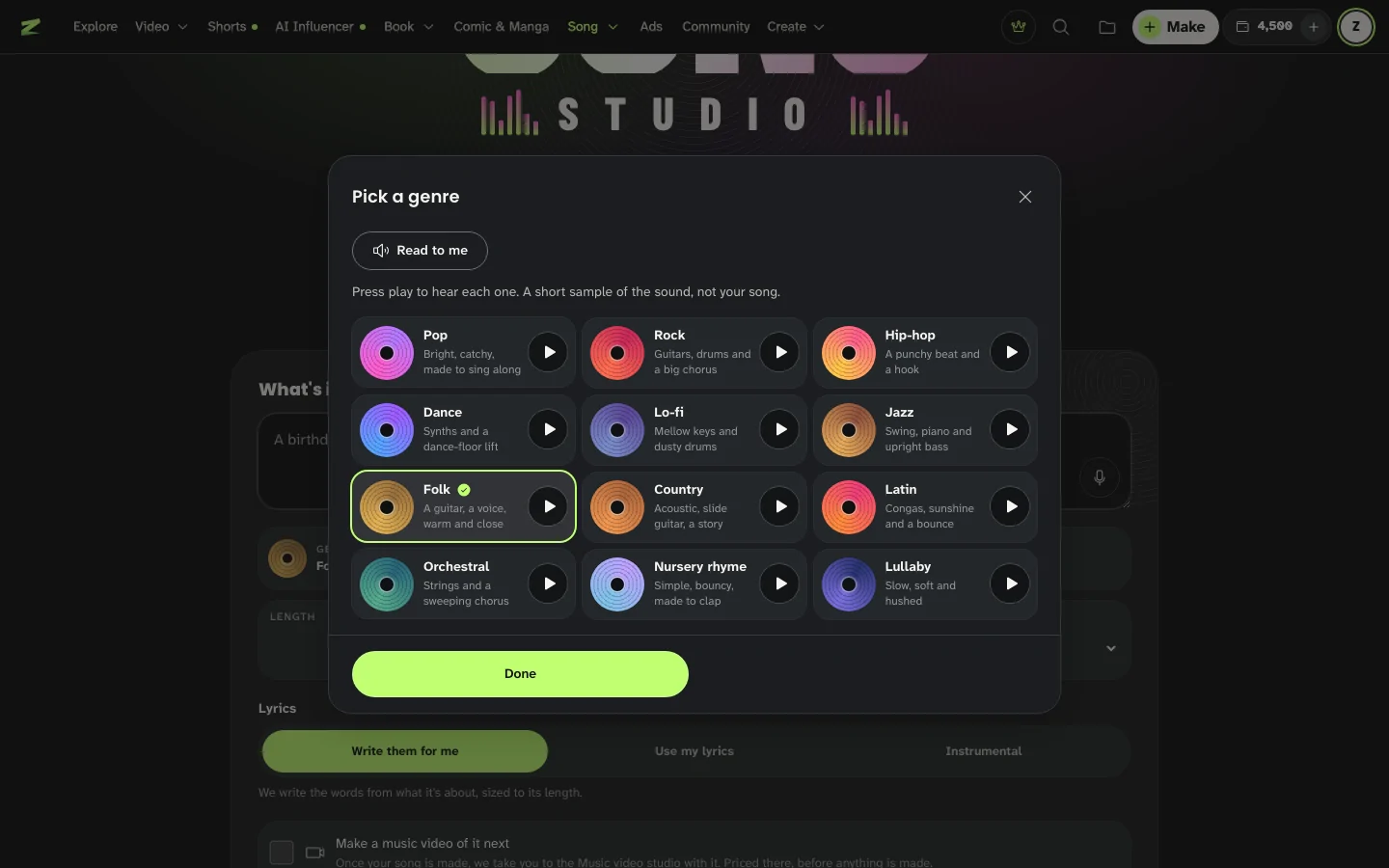
"Pick a genre," with "Folk" checked. Each play button is a short sample of the sound, not your song. Open "Pick a genre", play the "Country" sample then the "Lo-fi" sample, pick "Country", press "Done". Step 3: Choose the length
Length is three pills side by side: "30 seconds," "1 minute" (the default) and "2 minutes." Each pill shows its price in credits right under it, so you can compare before you pick. A minute is a full verse and chorus; 30 seconds is a jingle; 2 minutes is a whole song with a second verse and a bridge. The price on the make button changes as you switch.
Step 4: Your lyrics or ours
If you write your own, mark the parts. A chorus marked [Chorus] is sung as a chorus. Keep lines short and say them out loud first: if you stumble reading a line, it will be hard to sing.
- "Write them for me" — "We write the words from what it's about, sized to its length."
- "Use my lyrics" — "Sung word for word. Mark parts with [Verse] and [Chorus] if you like." Up to 2,500 characters.
- "Instrumental" — "Music only: no words, no singing."
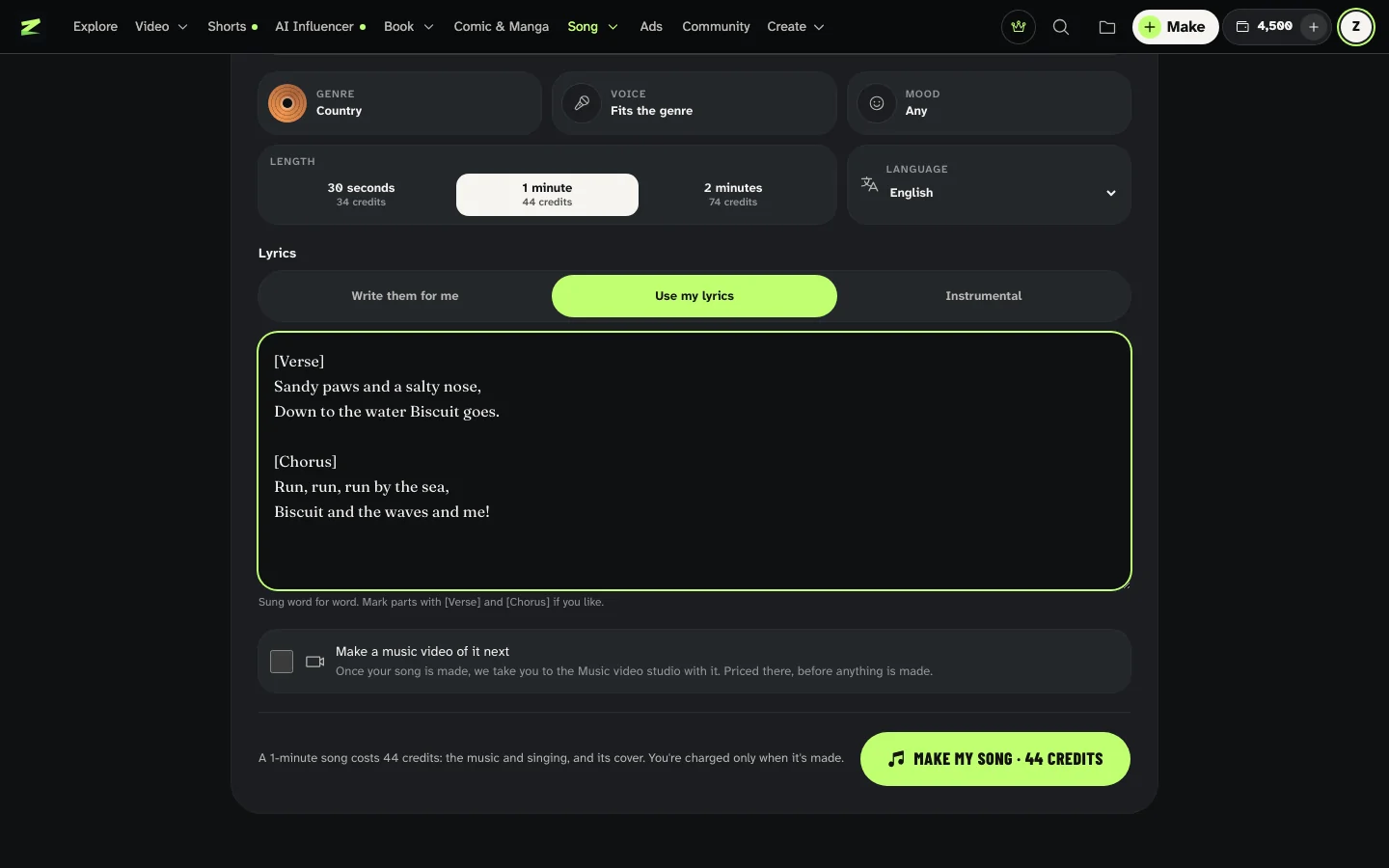
"Use my lyrics," with the parts marked [Verse] and [Chorus]. Step 5: Make it
The price line says exactly what you get: "A 1-minute song costs N credits: the music and singing, and its cover. You're charged only when it's made." Press "Make my song · N credits."
Price on the button
If you want a video of it next, check "Make a music video of it next" first. Once the song is made, you are taken to the Music video studio with it, and it is priced there before anything is made.
There is no planning step for a song: the price is on the button.
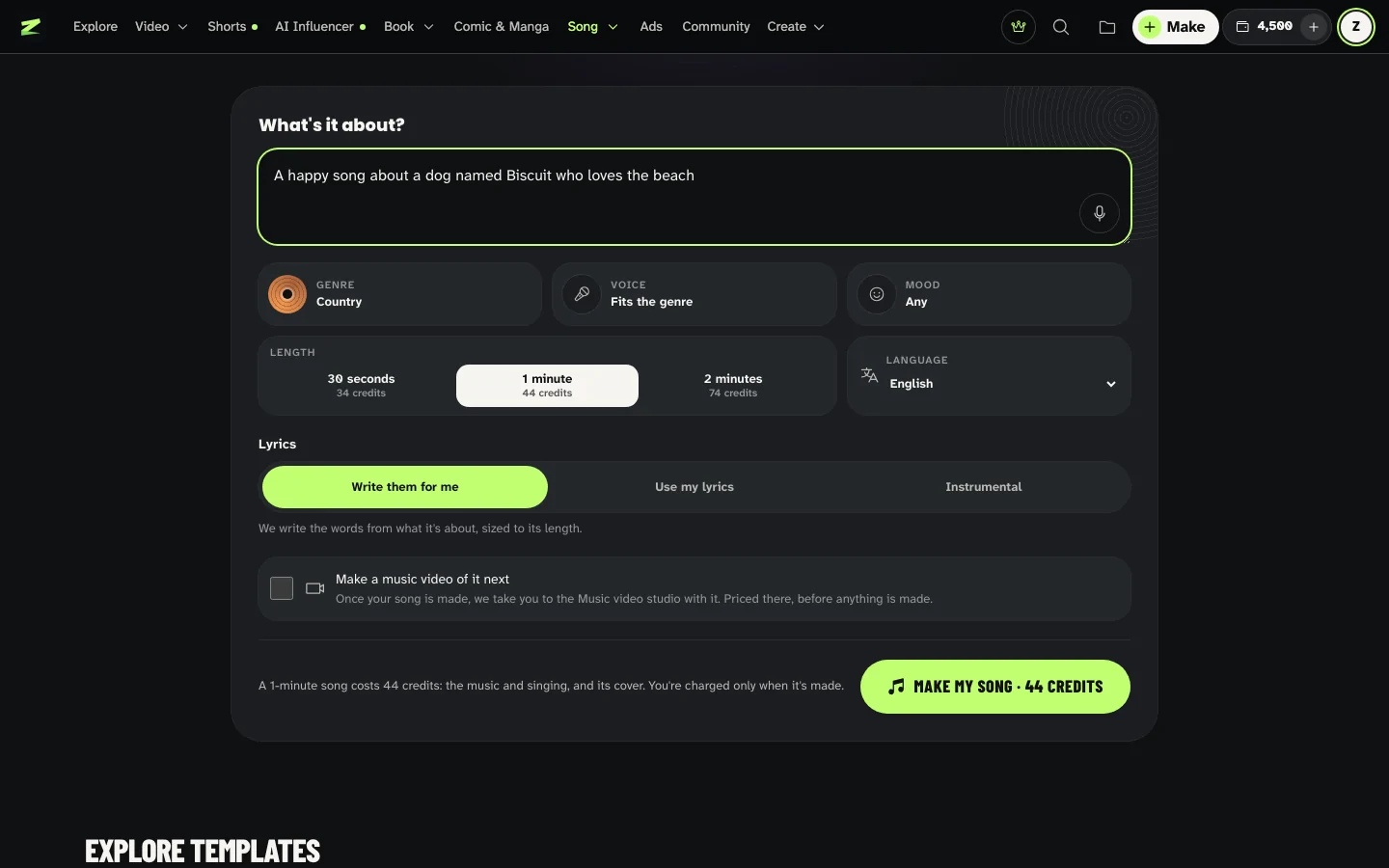
Ready to make: the price line says what the price covers, and the button carries it. Step 6: Listen and keep it
While it is made you will see "Making your song." "It takes a minute or two." When it is ready, press play. Under the player: "Keep the sound file" (the download), "Make a music video of it" and "The words."
Download free
If a song does not finish, you will see "Your song did not finish." and "You were not charged."
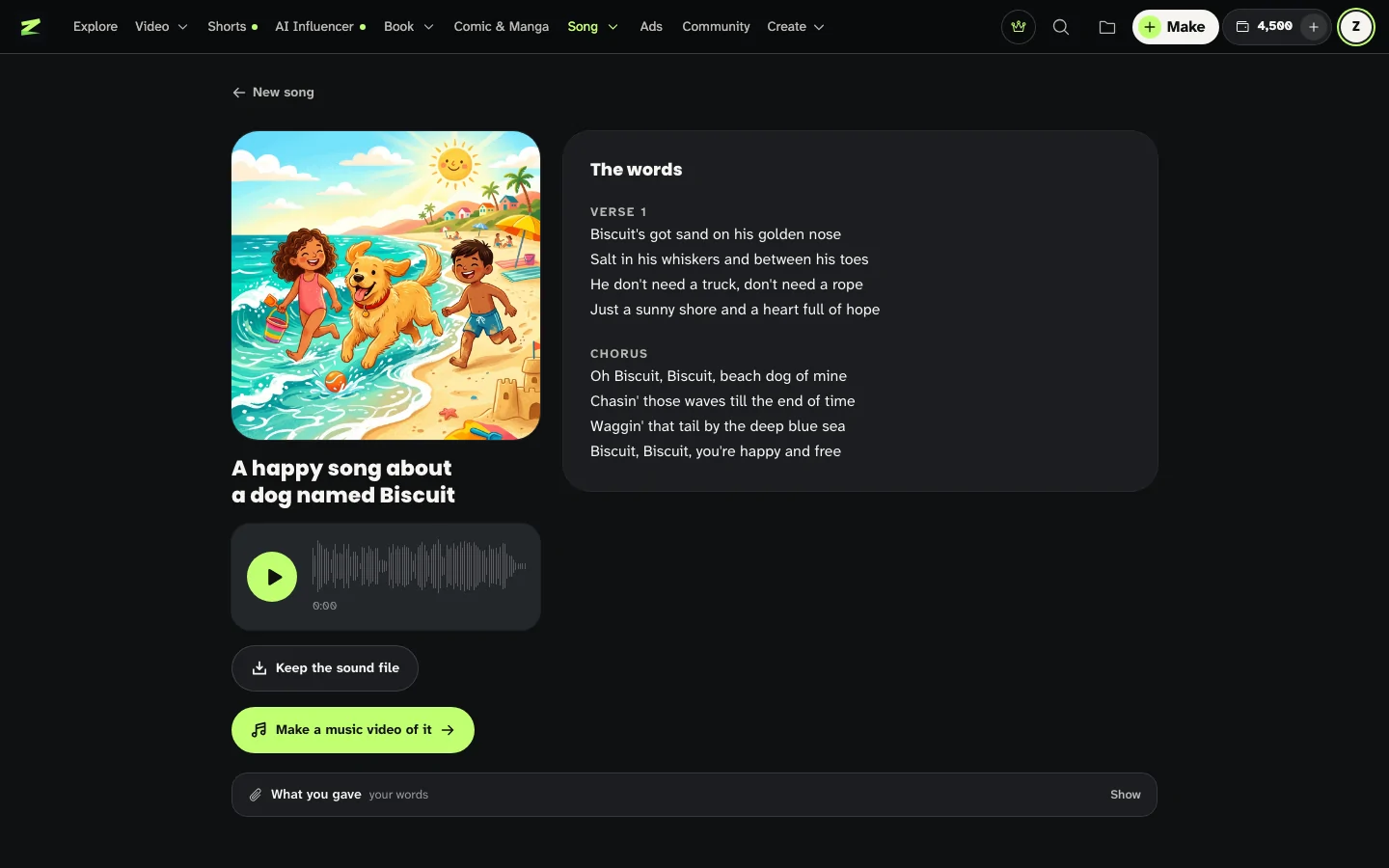
The finished song page with the cover, the player, "Keep the sound file", "Make a music video of it" and "The words" open. On the finished song page, press play and let 10 seconds of the song play while "The words" are open.
Tips for a song people will want to hear twice
Write the chorus first. If you are using your own lyrics, the chorus is the part people remember. Make it short (two to four lines), make it repeat, and put the name or the main idea in its first line. Then write verses that lead into it.
Match the genre to the moment. A birthday party wants Pop or Country with "Happy" or "Funny." A retirement wants Folk or Jazz with "Bittersweet." A classroom cleanup wants a Nursery rhyme with "Energetic." A baby's bedtime wants a Lullaby with "Calm." If you are not sure, pick "Any" for the mood and "Fits the genre" for the voice, and let the genre lead.
Kids' choir for kids' songs. A song for a class or a little one sounds right with "Kids' choir." A love song or a tribute sounds right with a "Duet."
Use real details, not big words. "You taught me to fish off the pier at Lake George" is a better line than "You are the greatest grandpa in the world." When you let us write the words, give us the details in "What's it about?" and they will end up in the verses.
Mind the syllables. If you write your own words, lines of about the same length sing best. Clap the beat as you read each line. If one line has twice as many claps as the next, shorten it.
Make a short one first. A 30-second song is the cheapest way to hear whether the genre and voice are right. When it is, make the full minute or two with the same choices.
Audio only
For just a sound file, /app/make/song/audio ("A song, as audio") asks "What is your song about?", "How should it sound?" and "How long?" and makes a song you can play and keep, with the words, and no video.
What it costs
The price is on the button before you press it, by length, in credits (1 credit is 1 cent). It covers the music, the singing and the cover. You are charged only when it is made. See pricing.
Common mistakes
- Naming a real artist. — Describe the sound: "warm acoustic guitar, slow, like a campfire song."
- Too many words for the length. — For 30 seconds, write four to six short lines.
- Forgetting the language. — Set it before you make it.
- Wanting a video and a song in one go. — Check "Make a music video of it next."
Questions
Can I use my own lyrics?
Yes, "Use my lyrics." They are sung word for word.
Can it sing in my voice?
No. Every singing voice is made up.
Can I make a song with a child's name in every chorus?
Yes, use "Name song" on the Greetings page; see how to make a birthday video.
Can I download it?
Yes, "Keep the sound file."
What languages can it sing in?
Pick one from the Language list before you make it. If you write your own lyrics, write them in the language you pick, and they are sung word for word. A song for a bilingual family can switch languages between verse and chorus if you write it that way.
Make it yourself
Who wrote this
The team building Zing Canvas
Written by the people who build Zing Canvas: step-by-step guides to making picture books, comics, bedtime stories, greetings, songs, music videos, shorts and ads in Zing Canvas, with the real screens, what each step costs, and the everyday problems they solve.